

How to Compress PDF Without Losing Quality
Learn how to compress PDF files without losing quality. Reduce PDF file size online while keeping text, images, and formatting sharp and clear.
PDF files are widely used for documents, resumes, invoices, reports and forms because they preserve formatting across devices. However, large PDF files can quickly become difficult to share through email, messaging apps or online uploads.
Compressing a PDF helps reduce file size while keeping the document readable and professional. Smaller PDFs upload faster, download quicker and take less storage space on your device.
With PDFPICS , you can compress PDF files online for free without installing software or creating an account. The tool works directly in your browser and helps reduce PDF size while maintaining good document quality.
Whether you want to send files through email, upload assignments, share business documents or save storage space, PDF compression makes the process faster and easier.
Why PDF Compression Matters
Large PDF files can create problems when sharing documents online. Many email providers and websites have upload limits, which means oversized PDFs may fail to upload or take a long time to send. Compressing a PDF helps reduce file size while keeping documents easier to share, store and download across devices.
Compress PDFs Online for Free
PDFPICS allows you to compress PDF files online for free directly in your browser. No software installation is required and you do not need to create an account. The tool is designed to be simple, fast and secure for everyday PDF compression tasks.
Unlike many online PDF tools, PDFPICS focuses on:
free access
fast processing
easy uploads
no watermarks
privacy-friendly processing
Files are processed temporarily and are not permanently stored.
Three Compression Modes
PDFPICS provides multiple compression levels depending on your needs.
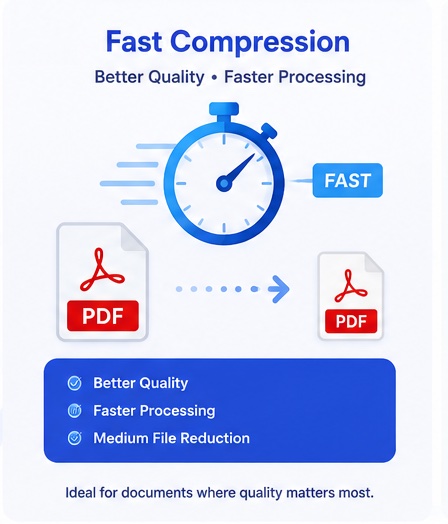
Fast Compression
Fast Compression is designed for users who want quicker processing while maintaining better visual quality. This mode performs lighter compression and is ideal for documents that already have moderate file sizes.
Best for:
resumes
presentations
business documents
quick sharing
Balanced Compression
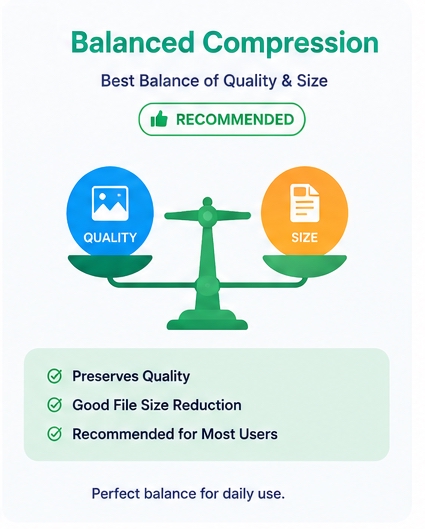
Balanced Compression is the recommended option for most users. It reduces file size while preserving document clarity and readability. This mode offers the best balance between quality and compression ratio.
Balanced mode works well for:
scanned PDFs
invoices
reports
study materials
ebooks
It is ideal when you want smaller file sizes without noticeable quality loss.
Maximum Compression
Maximum Compression focuses on reducing PDF size as much as possible. Processing may take slightly longer, but the final PDF becomes significantly smaller.
This mode is useful when:
upload size limits are strict
PDFs must fit within email limits
storage space matters
mobile sharing is important
Maximum Compression is especially effective for large scanned documents and image-heavy PDFs.

How to Compress PDF Using PDFPICS?
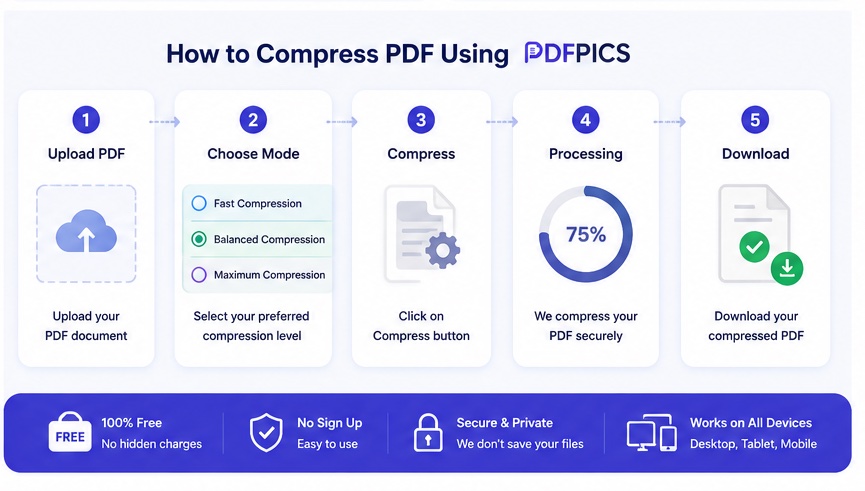
Compressing PDFs with PDFPICS is simple.
Open the PDF Compressor tool
Upload your PDF document
Choose Compression Level: Fast, Balanced or Maximum compression
Start compression
Download the optimized PDF instantly
The entire process works online without requiring additional software.
Is PDF Compression Safe?
Security and privacy are important when working with documents online. PDFPICS is designed to process files without unnecessary storage or complicated account systems.
Benefits include:
no signup required
browser-based usage
simple workflow
secure temporary processing
easy access on desktop and mobile
This makes the platform convenient for professionals, businesses and students.
Why Smaller PDFs Are Better
Compressed PDFs offer several advantages.
Smaller files:
upload faster
download faster
use less storage
work better on mobile devices
improve document sharing speed
Optimized PDFs are especially useful for remote work, education and online submissions.
FAQs Section
Does compressing a PDF reduce quality?
Compression may slightly optimize images and embedded elements, but Balanced Compression is designed to preserve readability and document clarity.
Is PDFPICS free to use?
Yes. PDFPICS offers free online PDF compression without requiring account registration.
Which compression mode should I choose?
Fast Compression → better quality with lighter compression
Balanced Compression → best mix of quality and size
Maximum Compression → smallest possible PDF size
Can I compress PDFs on mobile?
Yes. PDFPICS works on desktop, tablet and mobile browsers.
Does PDFPICS add watermarks?
No. Compressed PDFs are generated without watermarks.
Ready to reduce your PDF file size?
Try the free PDF compressor on PDFPICS
and compress documents online in seconds.